There’s a common myth that the only important factors in a PC are CPU, GPU, RAM and storage. One often overlooked element is the one that links these all together: the motherboard.
The motherboard is generally treated as a checkbox – does it support the CPU and RAM configuration, yes or no? A good motherboard is packed with additional features for both functionality and stability.
Intel has different tiers for motherboards, including the budget-friendly B-series and the performance-oriented Z-series. There are obvious difference between an B-series motherboard (like a B860) and a Z-series motherboard, but even two Z890 motherboards can differ greatly from each other.
I/O And Connectivity
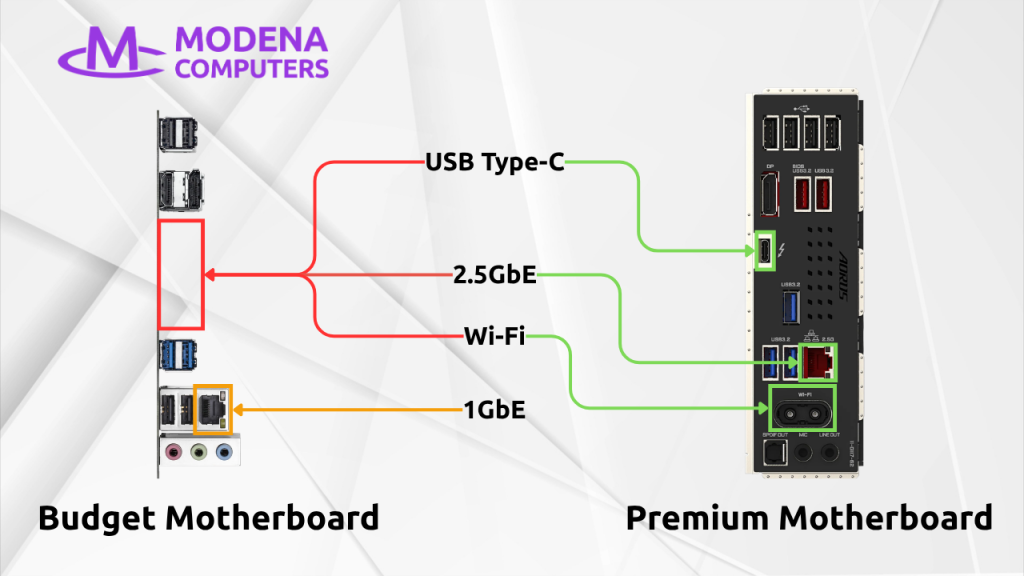
The easiest difference to spot is I/O and connectivity. Cheaper motherboards lack built-in Wi-Fi and have lower ethernet speeds – for example, a B860 may have 1GbE vs a Z890 with 2.5GbE.
There are differences in the USB ports at the back as well. Premium motherboards generally have more USB 3.2 ports and at least one USB Type-C port. In some cases, the USB-C port may even support DisplayPort connectivity, allowing you to use a Type-C monitor.
Power and Cooling
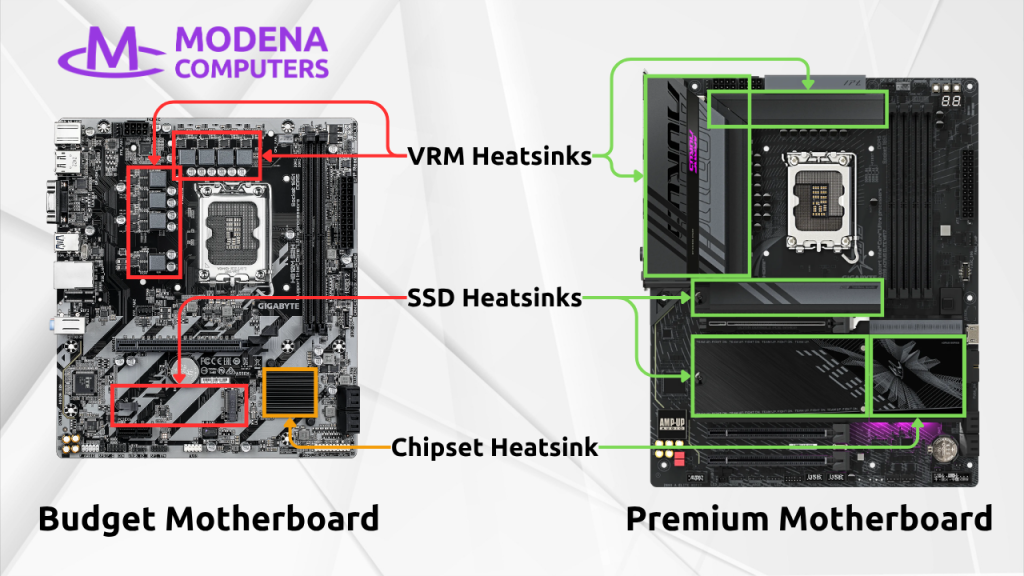
Power delivery to the CPU runs through the motherboard’s VRMs (voltage regulator modules). On a workstation running sustained heavy loads, VRM quality and quantity directly affect power stability and thermal load. Having more, higher quality VRMs allows the system to sustain boost clocks without throttling or instability.
A good motherboard also has reasonably large heatsinks on the VRMs and other key areas to ensure the system stays cool.
PCIe
Cheaper motherboards often don’t support the latest tech, and one example of this is PCIe SSDs. At the time of writing, the fastest SSDs available are PCIe 5.0, and lower end motherboards may only support PCIe 4.0. This interface is half the speed of PCIe 5.0.
The Takeaway
It may seem that getting a cheaper motherboard would allow you to spend more on your CPU or GPU, but this comes at a cost. To ensure maximum performance, stability and compatibility, we only use premium motherboards in all of our desktop workstations – Z890 motherboards in our Vulcan systems, and WRX90 motherboards in our Hydra systems. Contact us to get a Vulcan or Hydra of your own.
1 thought on “Component Spotlight: Motherboard”