CAD, simulation, and rendering workflows can push a CPU to sustained high loads for hours at a time. Good cooling and airflow are essential in protecting render times, model responsiveness and the hardware itself during long, uninterrupted sessions.
Thermal Throttling
When a component gets too hot, it may experience thermal throttling. This is when the system automatically reduces the performance of the component to protect it from damage due to overheating. For CAD work, this is especially costly: a throttled machine can turn a long render or simulation into a much longer one, and it can introduce lag during real-time viewport manipulation of large assemblies. Sustained high temperatures over time can also shorten component lifespan.
Air Vs Water
Radiator and heatsink size are the deciding factor in cooling performance, more than whether you choose air or water.
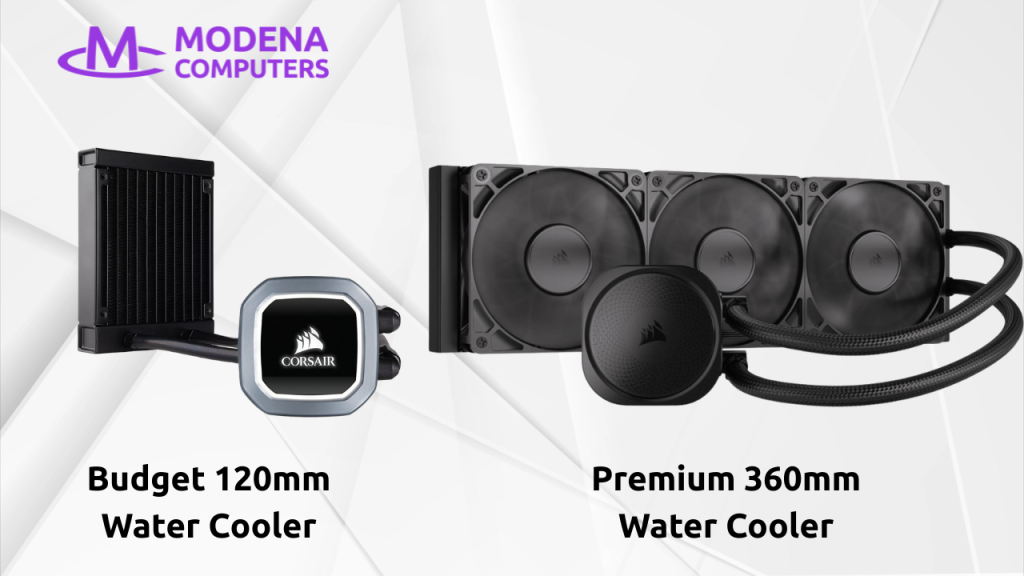
Water cooling performs best with large radiators (240mm and up). Compact 120mm all-in-one coolers often underperform relative to their cost, since a small radiator limits heat dissipation.
Air cooling is typically more affordable, but a quality air cooler with a large heatsink can keep up with mid-tier water coolers.
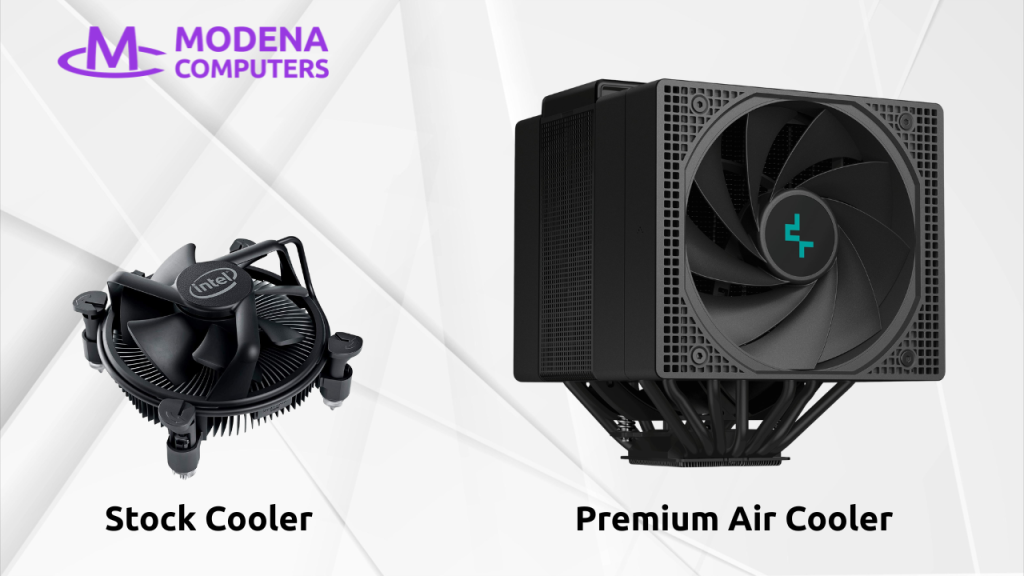
Stock coolers bundled with CPUs are built for light use, and are not suitable for the sustained loads of rendering or simulation. Whether you choose air or water, an aftermarket cooler is a requirement for a high-performance desktop workstation.
Noise Output
A by-product of poor cooling is high noise output. Larger radiators and heatsinks can dissipate the same heat while spinning fans slower, which results in lower noise. This makes a difference in an office or studio environment, where loud fans can become distracting for you and your team.
Case Airflow
A high-performance CPU cooler is not the only requirement. The system needs good airflow to ensure that heat is removed from the case as efficiently as possible.
Budget PC cases lack in 2 areas: intake fan placement and filtration.
The intake fans should be placed at the front of the case to ensure a direct pathway to the rear exhaust fan, drawing clean air across the motherboard and CPU cooler. Many budget cases now place the intake fans on the side of the case, disrupting this pathway and resulting in suboptimal cooling.
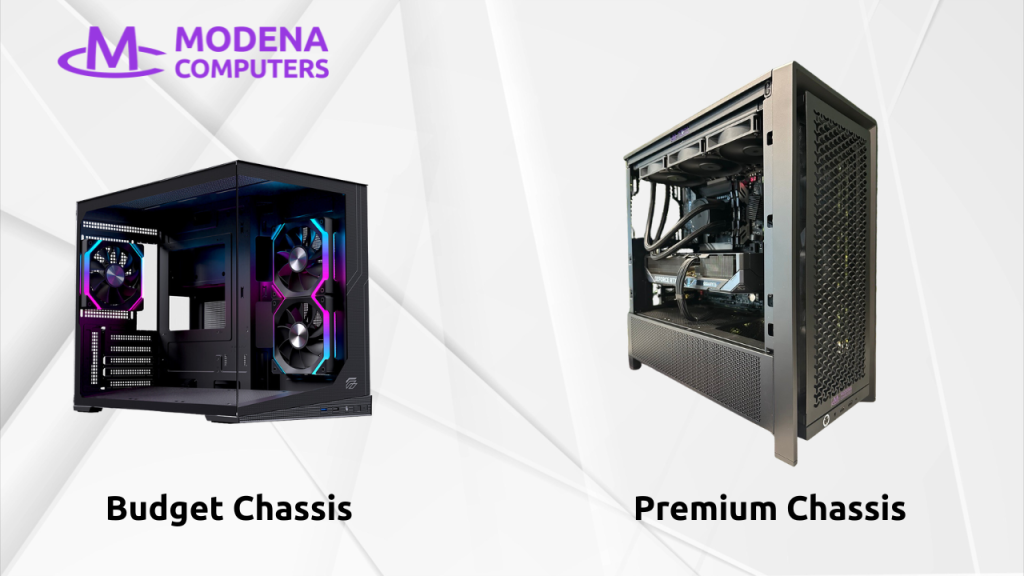
A good chassis includes dust filters in front of the intake fans. Cheaper cases generally skimp on (or even completely omit) these filters, allowing dust to accumulate faster and gradually degrade cooling performance over time.
The Takeaway
For CAD professionals, cooling and airflow greatly affect performance and long-term reliability. It’s easy to overlook these features in focus on the CPU and graphics card, but these features are a requirement. A well-balanced system needs a cooler with a large heatsink, and a case that facilitates clean airflow from the front intake to the rear exhaust.
If you’re looking at getting a new workstation, with premium cooling and clean airflow, please do not hesitate to contact us.